Guides
WhatsApp Marketing Message Examples That Won't Get Reported
WhatsApp marketing message examples for sales, new arrivals, carts and events, plus the opt-in, opt-out and wording rules that keep your number safe.
A WhatsApp marketing message is any message that tries to sell something or bring a customer back: a sale, a new product, a reminder about a full cart, an invitation. It is also the kind of message that gets business numbers reported, because it lands in the same chat list as family and friends. Below are ready examples you can copy, and the rules that decide whether customers read them or block you.
What counts as a WhatsApp marketing message
Meta files a message as marketing when it promotes an offer, a product or service, a renewal, or any call to action meant to sell. Two details catch businesses out:
- A message stays marketing even if the customer asked for it. A back-in-stock alert they signed up for is still marketing.
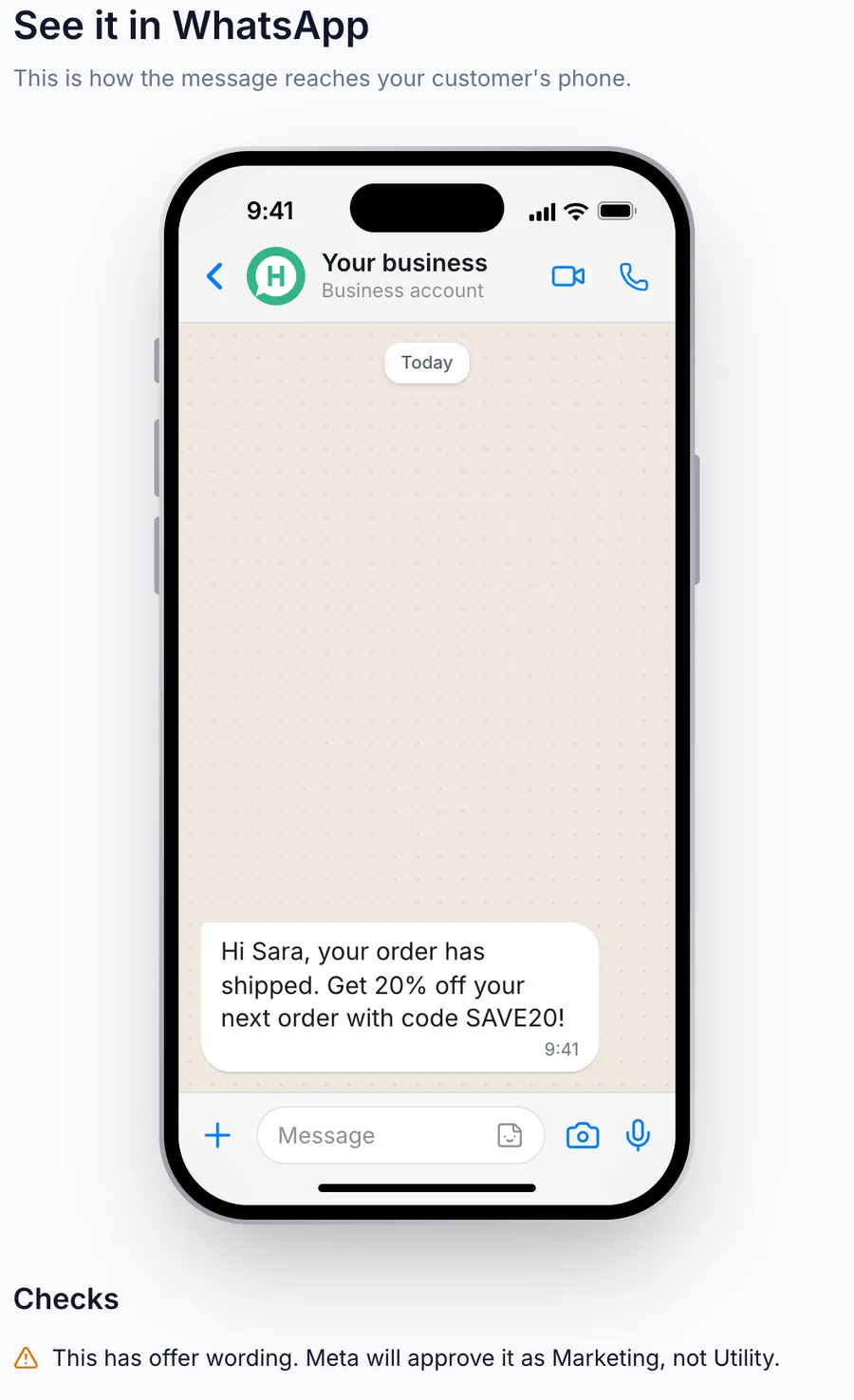
- Mixing counts as marketing. An order update with a discount code at the bottom is a marketing message, not an order update.
Order confirmations, delivery updates, receipts and appointment reminders are a different category ("utility"), as long as they carry no offer. If you're not sure which one you wrote, the WhatsApp message templates tool checks it. Here it catches a shipping update with a discount in it:
Get permission first, and make leaving easy
WhatsApp's Business Messaging Policy asks for the customer's opt-in before you message them, and it requires you to honour every request to stop. In practice:
- Collect the opt-in somewhere the customer acts. A checkbox at checkout, a line on your booking form or a reply to a message they started all work. The opt-in has to name your business; it doesn't have to mention WhatsApp.
- Keep marketing separate from service. Someone who agreed to delivery updates didn't agree to promotions. Ask for each one.
- Put the way out in every marketing message. A footer such as "Reply STOP to unsubscribe" gives people an option other than the Block and Report buttons. When someone replies STOP, take them off the list the same day.
WhatsApp promotional message examples
Each example names the business in the first line, gives one reason to act, and ends with a way to opt out. Replace the names, prices and dates with your own.
Sale with a discount code
Hi Sara, it's Cotton & Co. Everything in store is 20% off this weekend with the code WEEKEND20. The sale ends Sunday at midnight. Reply STOP to unsubscribe.
New arrivals
Hi Sara, the spring linen collection just landed at Cotton & Co, in the sizes you usually buy. Have a look: [link]. Reply STOP to unsubscribe.
Back in stock
Good news from Cotton & Co: the linen shirt you asked about is back in stock in M and L. Popular sizes go quickly. Reply STOP to unsubscribe.
Items left in the cart
Hi Sara, your cart at Cotton & Co is saved: 2 items, $64. Finish your order whenever you're ready: [link]. Reply STOP to unsubscribe.
Price drop
Hi Omar, the running shoes on your wishlist at Stride Sports dropped from $120 to $95 today. Reply STOP to unsubscribe.
Event invitation
Hi Nour, Riverside Dental is holding a free kids' check-up day on Saturday 14 March, 10 am to 2 pm. Reply YES to book a slot, or STOP to unsubscribe.
Festival greeting with an offer
Eid Mubarak from Al Noor Sweets. Order your Eid box by Thursday and get free delivery anywhere in Riyadh. Reply STOP to unsubscribe.
Loyalty points
Hi Khaled, you have 1,250 points at Bean Corner, enough for two free coffees. They expire on 31 March. Reply STOP to unsubscribe.
Service due
Hi Maya, your car is due for its 10,000 km service at FastFix. Book a time this week and get a free car wash: [link]. Reply STOP to unsubscribe.
Win back a past customer
Hi Yousef, it's been a while since your last order at Green Bowl. Here's 15% off your next one with the code BACK15, valid until 30 April. Reply STOP to unsubscribe.
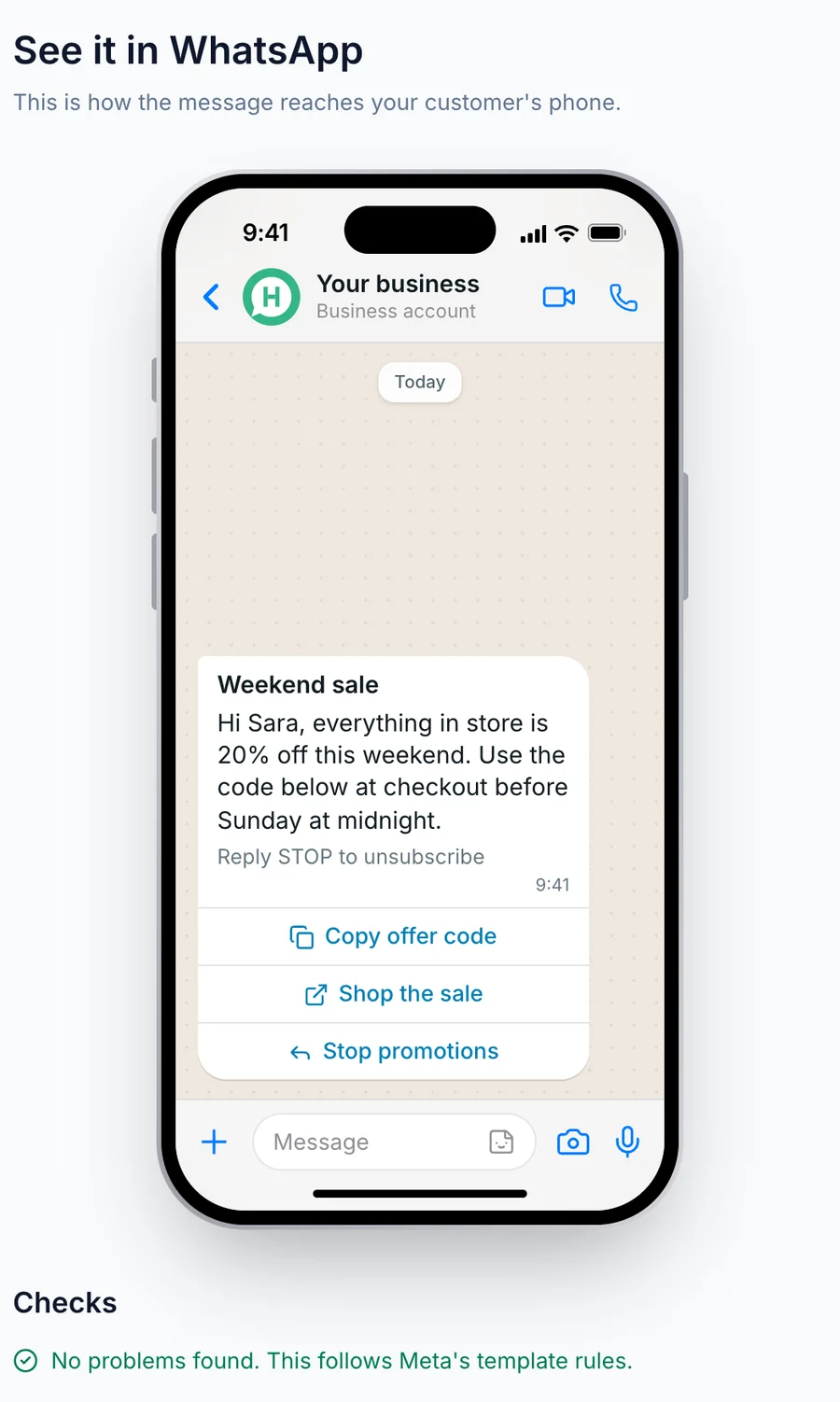
Each of these is also in the templates tool or easy to rebuild there. Pick a marketing template, change the words, and the phone preview shows the message as your customer will see it, with the checks underneath:
What gets a marketing number reported
WhatsApp's messaging guidelines treat repeated unwanted contact as spam, and accounts that collect reports get restricted or suspended. These habits cause most of it:
- Messaging people who never opted in. A bought list or a contact scraped from a group is the fastest route to reports.
- A vague first line. "Hi dear, special offer for you!" from an unknown number looks like a scam. Say who you are first.
- Pressure. Capital letters, "LAST CHANCE", rows of exclamation marks and fake deadlines read as spam, and the templates checker flags the capitals.
- No way out. Without a STOP line, blocking you is the only option left.
- The same text to everyone, too often. Use the customer's name and a reason that fits them, and leave days between campaigns.
How often you can send
WhatsApp doesn't publish a safe number for marketing. On Meta's Cloud API, it limits how many marketing messages one person receives from all businesses together, based on how many they already get and how often they read them. When a message hits that limit, it fails with error 131049, and Meta says to wait at least 24 hours before trying that person again.
From your own number there is no fixed cap, but the signals are the same: replies, reads, blocks and reports. WhatsApp has also been testing a monthly limit on messages that get no reply from people you don't know. Weekly at most is a sensible ceiling for promotions, and less for customers who never answer.
Send marketing messages from your own number with an API
The Hypersender WhatsApp API sends from your own WhatsApp number, so there is no template review and no fee per message. That makes the rules above your job:
- Send only to customers whose opt-in you stored, and use their name and purchase history in the text.
- Use the send-text-safe endpoint, which shows typing and waits a moment before each message, instead of firing a whole list at once.
- Listen for replies with a WhatsApp webhook and remove anyone who answers STOP before the next campaign.
- Keep order updates and promotions apart. Our order updates and payment reminder guides cover the service side.
If a number does get into trouble, WhatsApp number banned explains the review process and how to protect the next one.
Next steps
- Copy and edit marketing templates in the free WhatsApp message templates tool
- Give customers a way to message you first with a WhatsApp link and QR code
- Format offers with bold and lists in the WhatsApp text formatter
Create a Hypersender account, connect your number with a QR code, and send your first campaign to customers who asked for it. The first 14 days are free.