How this workflow fits
Forward SMS from Android to your webhook
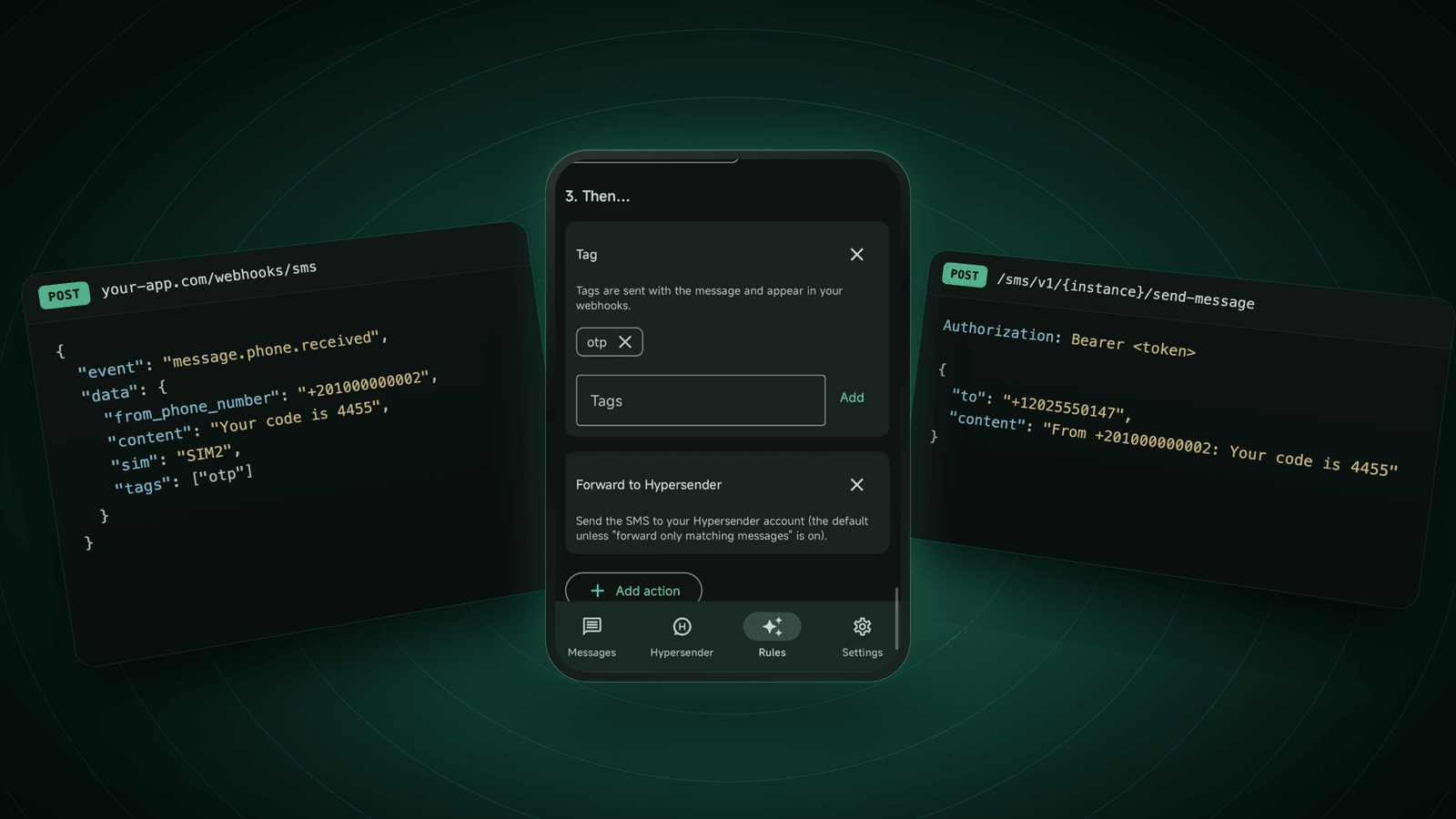
Install the Hypersender SMS app on the phone whose SIM receives the messages and link it to your instance. Each incoming SMS reaches your webhook URLs as a message.phone.received event with the sender, text, SIM, and tags. The phone has to stay on and online, and heartbeat webhooks tell you when it goes offline.
- Add up to 3 webhook URLs per instance on paid plans.
- Dual-SIM phones work; each event says which SIM received the message.
- Heartbeat webhooks warn you when the phone stops checking in.
Choose which SMS get forwarded
Rules on the phone decide before anything leaves it. Turn on Forward only messages that match a rule to send only verification codes, bank alerts, or messages from a sender list, and keep personal and promotional SMS on the phone.
- Start from the Forward only OTP codes template.
- Match by keyword, sender, sender list, SIM, time, or regular expression.
- Tags such as otp or bank travel with the forwarded message.
Forward SMS to email, Slack, or another phone
Your webhook decides where each message goes. A few lines of code can email it, post it to a Slack channel, or call the send-message endpoint to forward it as an SMS to another number. Without code, set an n8n, Zapier, or Make webhook trigger as your Hypersender webhook URL and build the routing there.
- Forward to another phone with the send-message endpoint.
- Route by tag: otp to your sign-in flow, bank to your finance channel.
- Hypersender doesn't send the email or Slack message itself. Your webhook handler or automation tool does.