Guides
Introduction Message in WhatsApp: 15 Examples for Business
Introduction message in WhatsApp examples for businesses: greetings, welcome messages and first messages to new leads, and how to set them up.
An introduction message in WhatsApp is the first thing a customer reads from your business, so it decides whether they reply or block you. Below are 15 examples you can copy: greeting messages for people who write to you first, welcome messages after a sign-up, and first messages to leads who asked to hear from you.
Three kinds of introduction message
- Greeting message: an automatic reply when someone writes to your business for the first time. They started the chat, so they're expecting an answer.
- Welcome message: sent after a customer signs up or buys, to confirm it worked and tell them what happens next.
- Introduction to a new lead: the first message you start, to someone who gave you their number and asked to be contacted. This is the one that gets reported when it's vague or unexpected.
Greeting message examples
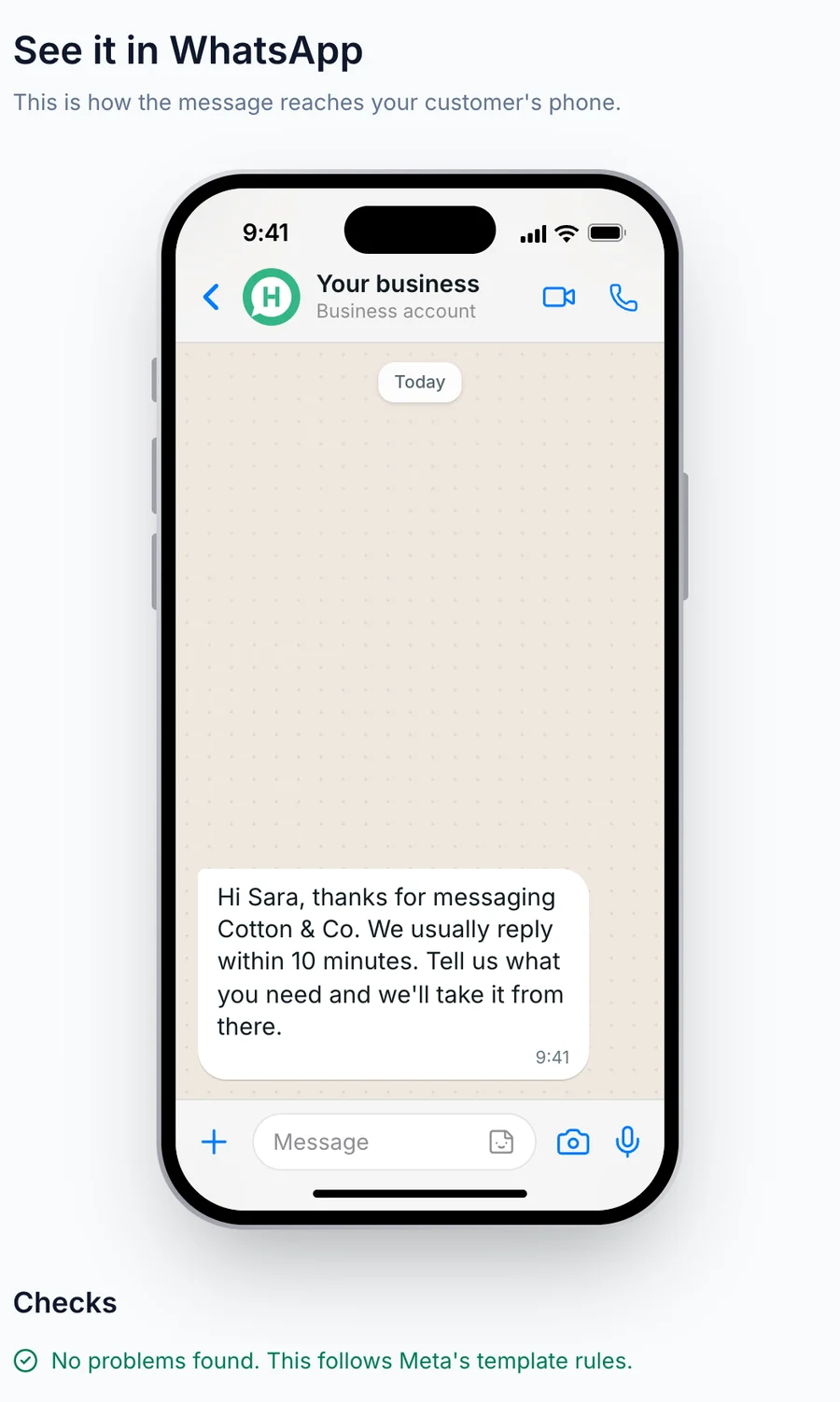
Hi, thanks for messaging Cotton & Co. We usually reply within 10 minutes. Tell us what you need and we'll take it from there.
Hello and welcome to Riverside Dental. To book or change an appointment, send your name and the day that suits you, and our front desk will confirm.
Hi there, you've reached Bean Corner. Our menu and opening hours are on our profile. Reply with your order and pickup time and we'll have it ready.
Thanks for getting in touch with FastFix. Send your car model and what's wrong, and a mechanic will reply with a price.
Hi, this is Green Bowl. Reply 1 to order, 2 to check an order, or 3 to talk to a person.
Welcome message examples
Hi Sara, welcome to Cotton & Co. Your account is ready. Reply here any time if you need help with an order.
Welcome to the Intro to Python course, Yousef. Classes start Monday at 9 am in room B12. Save this number to get changes and reminders.
Thanks for booking with Corniche Hotel, Maya. Your stay starts on 20 March. Reply here with any request before you arrive.
Hi Khaled, I'm Lina, and I'll be looking after your account from now on. You can reach me right here on WhatsApp.
Thanks for joining the Cotton & Co WhatsApp list, Sara. We'll send new arrivals and offers here, about twice a month. Reply STOP to unsubscribe.
Introduction message examples for new leads
Only send these to people who gave you their number and agreed to be contacted. Name your business and say why you're writing in the first line.
Hi Maya, this is Omar from Riverside Dental. You asked about teeth whitening on our website, so I'm writing to help. Is now a good time for a quick chat?
Hi Nour, Lina here from Corniche Hotel's events team. You filled in our wedding enquiry form. Could you tell me your date and guest count so I can send options?
Hello Khaled, this is FastFix. You requested a quote for brake pads yesterday. The price for your car is $120 fitted. Want me to book you in?
Hi Yousef, it's Sara from Green Bowl catering. You left your number at our stand at the food fair. Shall I send this week's office lunch menu?
Hi Omar, this is Maya from Stride Sports. You asked us to tell you when the trail shoes arrived. They're in, in your size. Want me to hold a pair?
How to set up a greeting message
In the WhatsApp Business app, open Tools, then Greeting message, and turn on Send greeting message. Write your text and choose who gets it: everyone, everyone not in your address book, everyone except some contacts, or only some contacts. WhatsApp sends it when a customer writes for the first time, or writes again after 14 days with no messages in that chat. The app also has away messages for outside opening hours, and quick replies you insert by typing "/".
With an API you build the same thing yourself, and you can make it smarter. Hypersender sends each incoming message to your webhook, so your code can check whether the person is a customer, look up their last order and greet them by name. The n8n node does it without code.
Write them in the templates tool
The WhatsApp message templates tool has greeting and welcome messages ready to edit. Change the words and the phone preview shows what your customer will see:
What makes an introduction message work
- Name your business first. "Hi, it's Cotton & Co" beats "Hello dear" from an unknown number.
- Give a reason. Mention what they asked about, bought or booked.
- Ask for one thing. A time, an order, a yes or no. One clear next step gets more replies than a paragraph.
- Keep it short. Two or three sentences. Save details for when they answer.
- Offer a way out in any message that sells something, such as "Reply STOP to unsubscribe".
Next steps
- Edit greeting, welcome and auto-reply messages in the templates tool
- Set up auto-replies for after hours
- Answer every first message automatically with WhatsApp automation
Create a Hypersender account, connect your number with a QR code, and greet every new customer by name. The first 14 days are free.